BalloonBlox

Dev Blog

Rebuilding a 2022 PHP + Roblox prototype into a modern, server-authoritative experience — documented as it happens, screenshots and all. One page, newest at the bottom, like a lab notebook.

Digging up the 2022 BalloonBlox: PHP, jQuery, and one database table per user

Before rebuilding, we excavated the original Party City-era prototype: a PHP/MySQL cart synced to a Roblox place over polling HTTP. It was charming. It was also terrifying.

BalloonBlox started as a pitch to Party City: their web 'balloon bouquet builder' let you compose a bouquet in 2D — we thought it would be better in 3D, in Roblox, where the bouquet appears tied to your character's hand as you build it on the web. Party City filed for bankruptcy; the prototype survived on a Linode box that has since gone dark.

The original repo is a time capsule: PHP endpoints, a jQuery UI drag-and-drop cart, and a Roblox place file with a single server script doing all the work. Step one of the rebuild was extracting the Lua from the binary .rbxl place files (via Lune's roblox library) and reading everything.

The good ideas worth keeping

Change detection by hash: the game polled get_cart_hash.php (an md5 of the cart contents) every few seconds and only re-fetched the full cart when the hash moved. Cheap and effective — we keep the idea, but as a monotonic integer version column instead of md5-of-serialized-PHP-array.

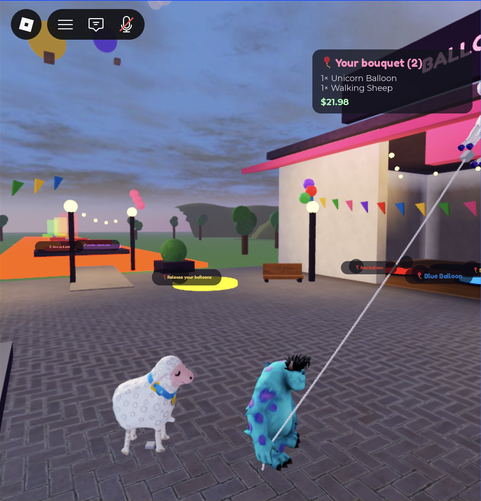
Physical shopping: stand in the red zone for 10 seconds and a red balloon is added to your cart — in the database, and in your hand, tied with a visible RopeConstraint and floated with an anti-gravity force. Walk into the yellow zone to let everything go. That's the soul of the thing and it survives intact.

The parts that did not survive review

functions.php — one table per user, string-interpolated
function createSCTable($conn, $robloxUserName) {
    $query = "CREATE TABLE $robloxUserName (id int not null auto_increment,
              item_name varchar(255), primary key (id))";
    ...
}

function addToShoppingCart($conn, $robloxUserName, $item_name) {
    $sql = "insert into $robloxUserName (item_name) values ('$item_name')";
    ...
}

Every user got their own MySQL table, created on first sight of a username typed into a form with zero auth — and every query string-interpolates that username. SQL injection as a feature. The new backend is one carts row per player, parameterized queries via Drizzle, and a link-code flow so only someone standing in the game can claim a player's cart.

balloon_wall_display (legacy server script) — single-player assumptions
local playerName = ""

game.Players.PlayerAdded:Connect(function(thisPlayer)
    playerName = thisPlayer.Name  -- last player to join wins!
    _G.pl = getPlayerFromName(playerName).Character
end)

One global playerName for the whole server: whoever joined last owned everyone's balloons. The rebuild is server-authoritative and per-player from the ground up — every cart, zone timer, and balloon bundle is keyed by UserId.

Also not making the cut: two drivable cars (A-Chassis), a mansion, and in-car radios preloaded with several hundred copyrighted songs. The new place is a focused balloon shop with original, generated music.
A modern spine: Next.js + Neon Postgres, versioned carts, and a batched sync endpoint

The PHP endpoints become a typed Next.js API on Vercel. One integer per cart replaces md5 hashing, and the whole game server syncs every player in a single request.

The new backend is a Next.js App Router app deployed to Vercel at balloonblox.com, with Neon Postgres (provisioned through Vercel's marketplace) and Drizzle ORM. Five tables: balloon_types, carts, cart_items, link_codes, and a dormant orders table for a future Stripe checkout.

db/schema.ts — the version column that replaces md5
export const carts = pgTable("carts", {
  id: uuid("id").primaryKey().defaultRandom(),
  robloxUserId: bigint("roblox_user_id", { mode: "number" }).notNull().unique(),
  username: text("username").notNull(),
  // Monotonic change counter — the game's cheap change-detection signal
  // (replaces the legacy md5-of-cart hash). Bumped in the same transaction
  // as every mutation.
  version: integer("version").notNull().default(0),
  ...
});

Every mutation — web click, in-game zone add, clear — runs in a transaction that bumps version. Change detection is then a single integer comparison, and it can never collide the way a hash can.

Sync: one request per server, not per player

The legacy game made two HTTP calls per player every ~7 seconds. The new game server sends one batched POST with every present player and the last version it applied; the API returns full item lists only for carts that moved. A 20-player server is still one request per tick, comfortably inside Roblox's HttpService budget.

app/api/game/sync/route.ts (excerpt)
const Body = z.object({
  players: z.array(z.object({
    robloxUserId: z.number().int().positive(),
    version: z.number().int().min(-1), // -1 = "never synced, always send"
  })).max(100),
});

// ...returns { updates: [{ robloxUserId, version, items: [{ slug, stringLength }] }] }
// only for carts whose version differs from what the game reported.

Identity: a code you can only get in-game

The old site asked for a Roblox username — any username. Now the game kiosk issues a 6-character code (alphabet without 0/O/1/I, 15-minute expiry) via an API-key-authenticated endpoint, the player types it on the site, and the session cookie binds to their UserId. Claims are rate-limited per IP. Nobody edits your bouquet but you.

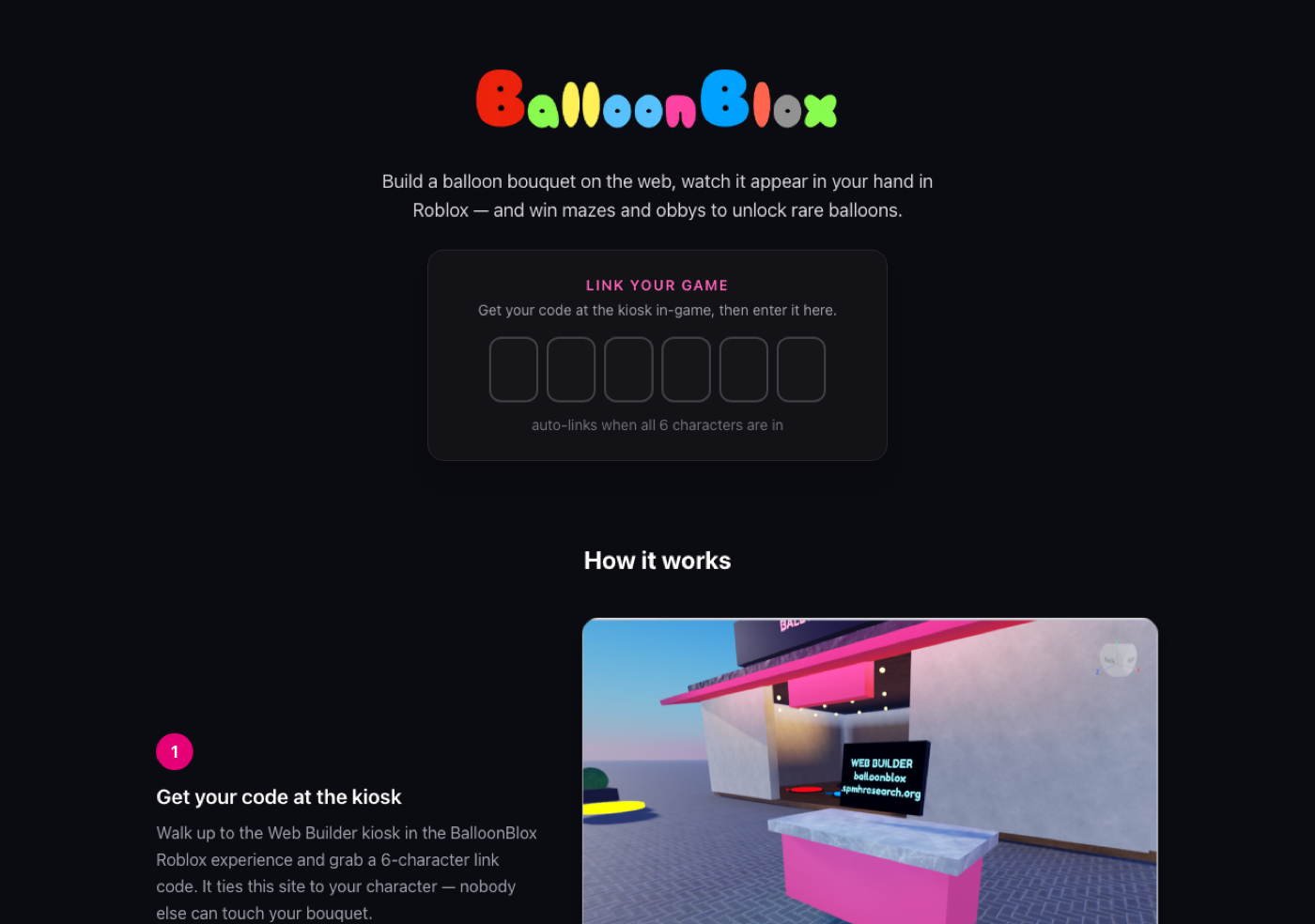
The landing page with the link-code form
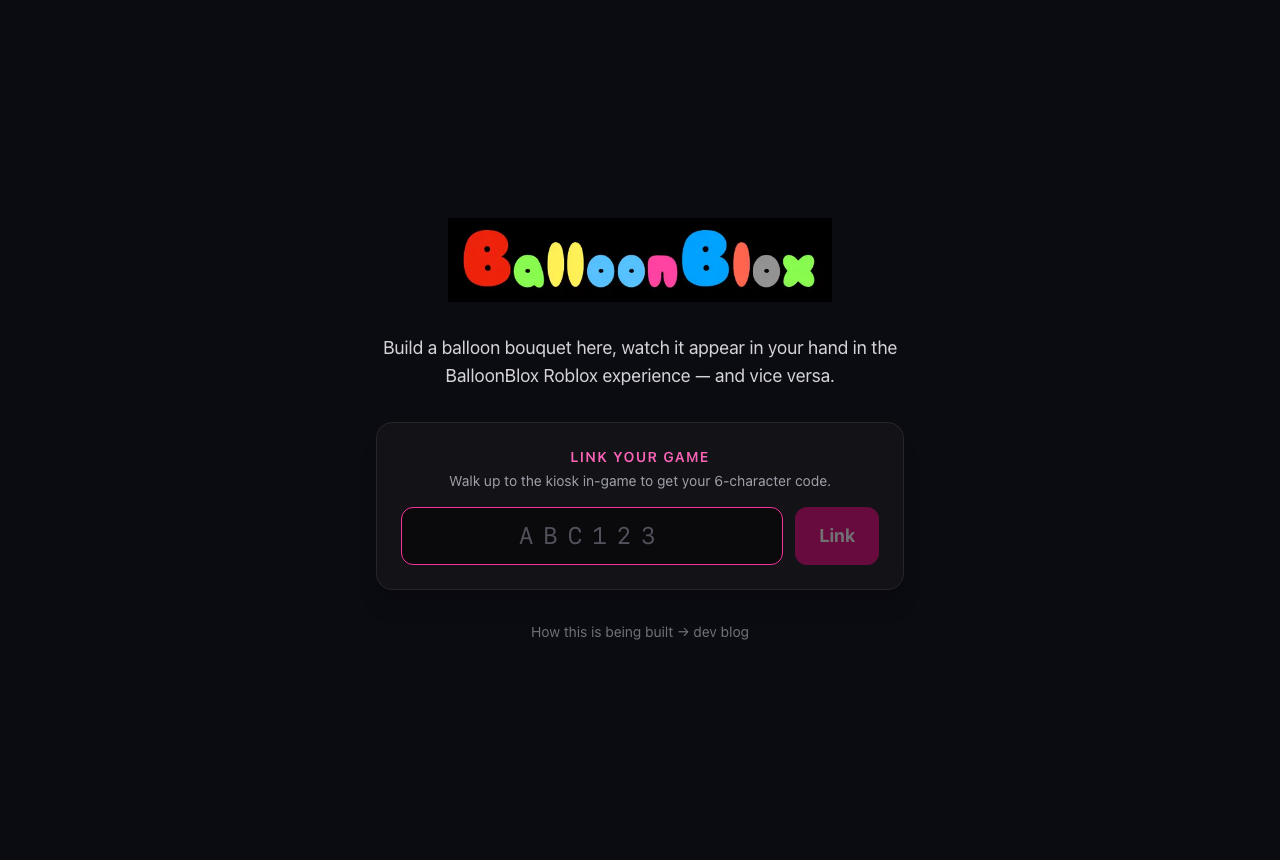
The landing page: type the 6-character code from the in-game kiosk and you're linked.

Game endpoints authenticate with an x-game-key header (timing-safe comparison) that only lives in ServerStorage on the Roblox server — it never replicates to clients and never appears in the repo.

Server authority: the game server owns everything now

The 2022 place trusted a global variable and whoever joined last. The rebuild gives every player their own server-side cart state, batched syncs, and clients that only ever receive.

The Roblox half is rebuilt as a set of server modules: ApiClient (authenticated HTTP with retry), CatalogService, CartService, BalloonService, ZoneService, DisplayWallService, MusicService, bootstrapped from one Main script. Clients get exactly two remotes: a GetLinkCode RemoteFunction (rate-limited server-side) and a CartChanged event they can only listen to. There is no code path where a client tells the server what's in a cart.

CartService.luau — one batched poll for the whole server
local function pollOnce()
    local body = { players = {} }
    for _, player in ipairs(Players:GetPlayers()) do
        local s = state[player]
        if s then
            table.insert(body.players, { robloxUserId = player.UserId, version = s.version })
        end
    end
    local res = ApiClient.post("/api/game/sync", body)
    -- apply only the carts whose version moved
end

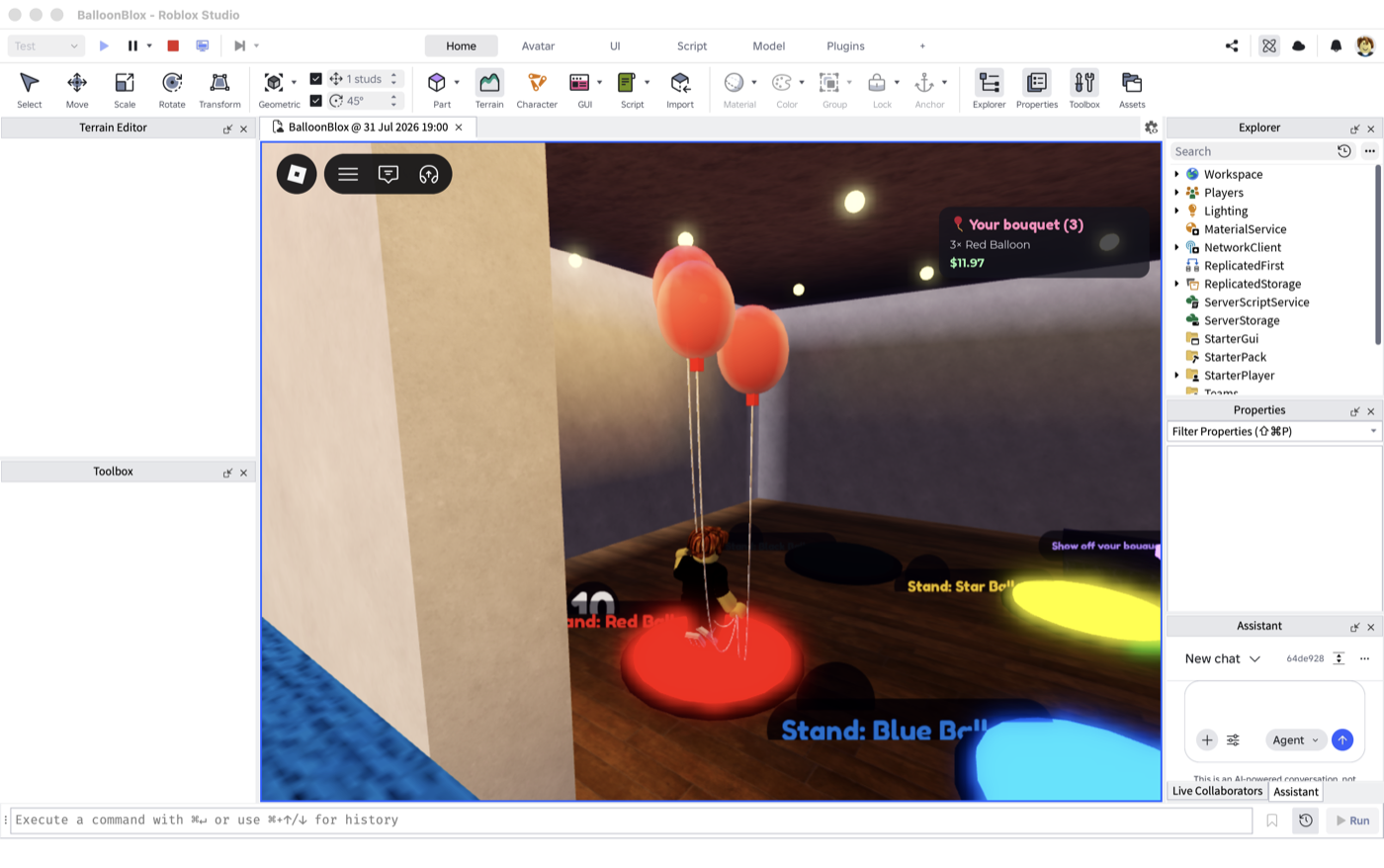
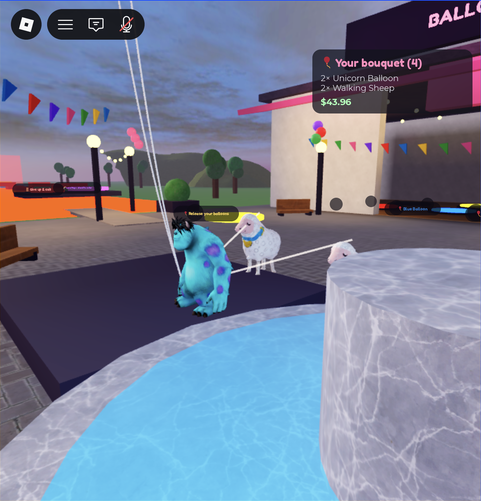
Balloons themselves are spawned by the server: cloned templates (or procedural glossy spheres as fallback), tied to the player's right hand with a visible RopeConstraint, floated with a VectorForce at ~1.05× gravity. The deprecated BodyForce from the legacy scripts is gone. Walk-in zones are CollectionService tags with per-player dwell timers — a countdown billboard ticks over the pad, and at zero the server round-trips the mutation through the API before spawning anything.

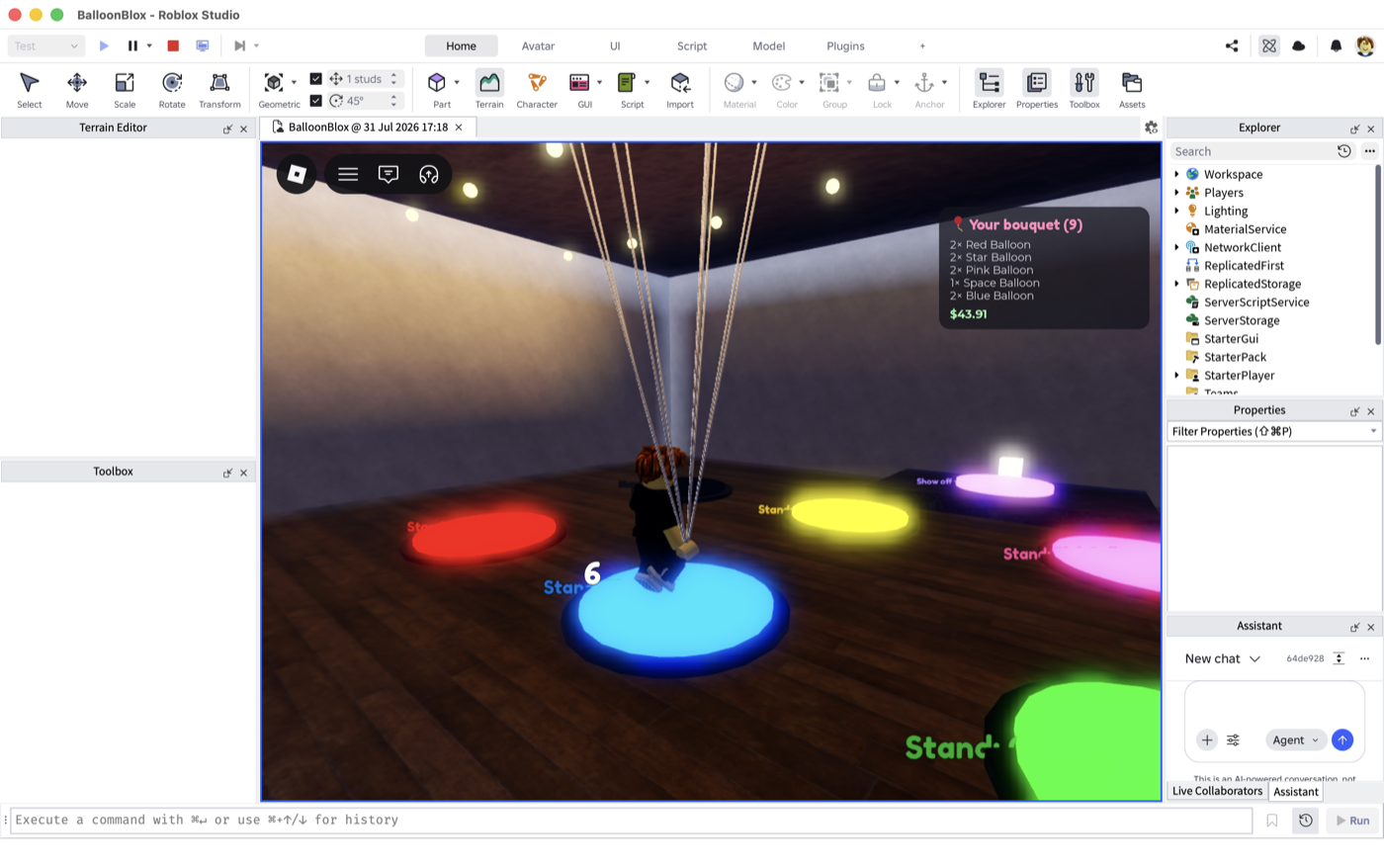
Character standing on the glowing blue pad with a countdown of 6
Dwell-to-buy: stand on a pad and the countdown ticks — at zero the server calls the API, then ties the balloon to your hand. Nine rope strings already overhead.

Physical zone adds apply optimistically: the server already knows what changed, so the balloon appears in your hand immediately while the version from the API response keeps the next poll from double-applying. The web builder finds out on its next 5-second refresh — both surfaces converge on what Postgres says.

Secrets never touch the repo or the client: the API base URL and game key live as attributes on a ServerStorage folder, which doesn't replicate.

Building the shop, generating the music, and the first end-to-end flight

A scripted storefront with Future lighting, ElevenLabs-composed shop music uploaded through Open Cloud, an AI-generated star mylar mesh — and the moment web-built balloons appeared in a character's hand.

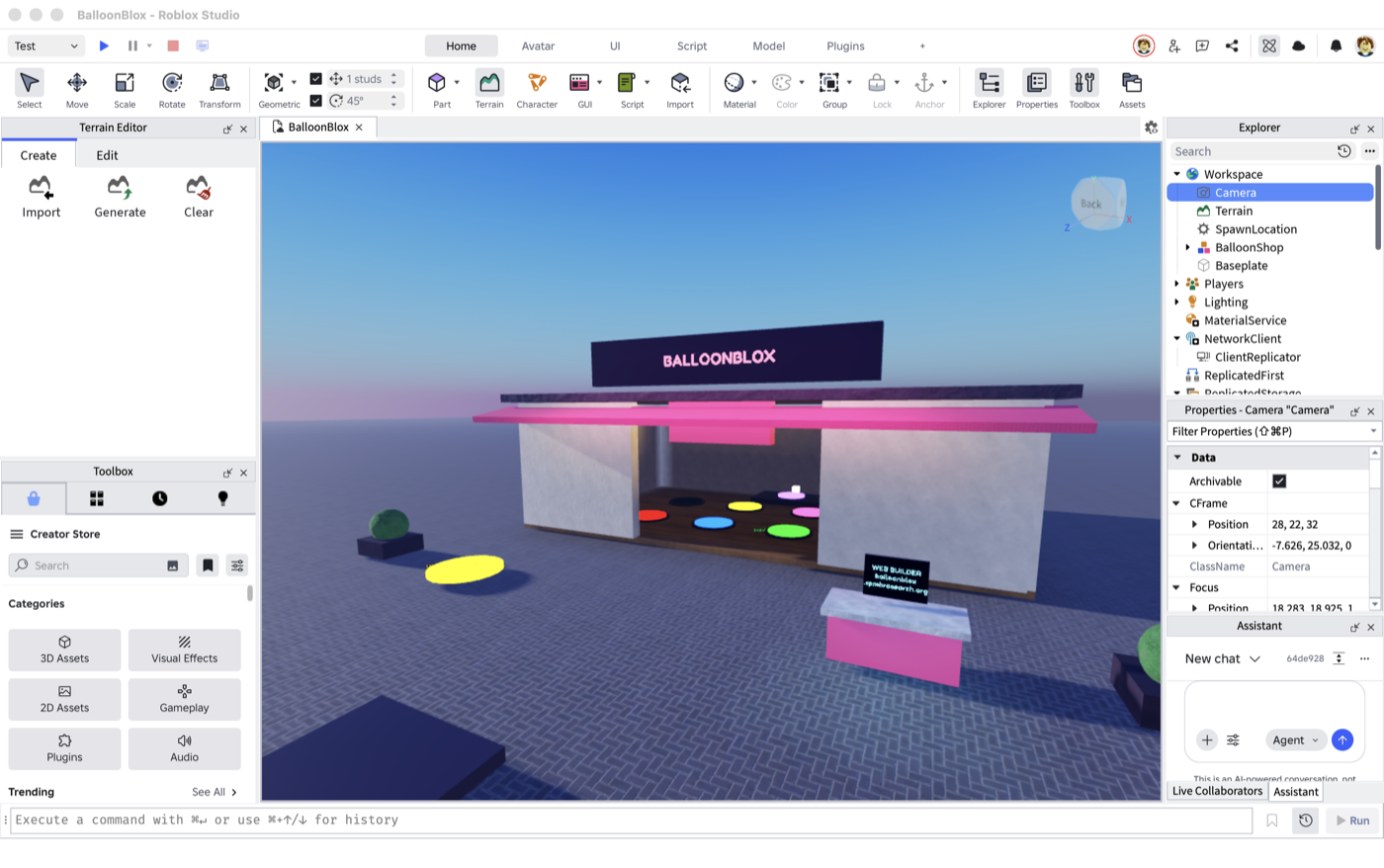
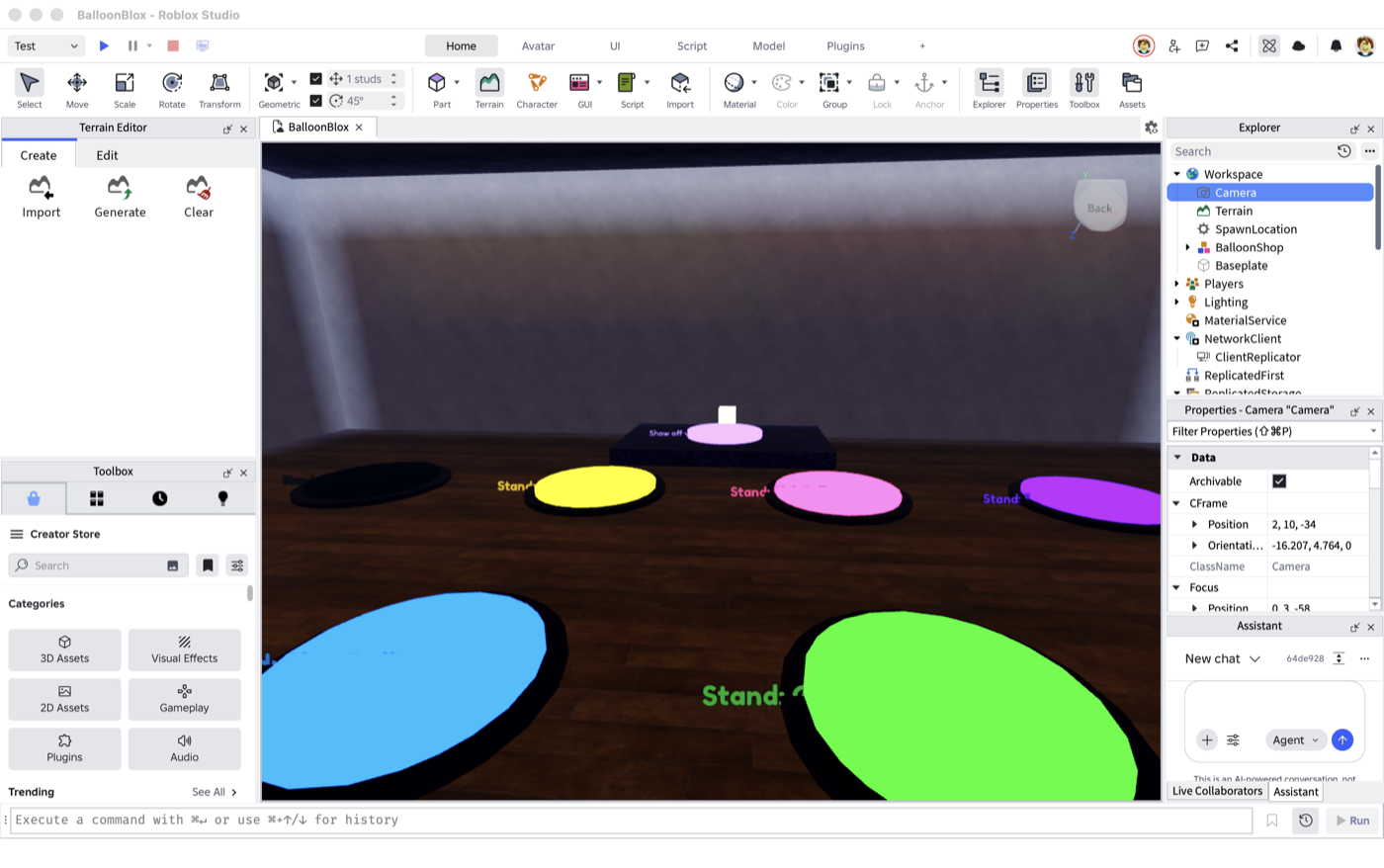
The world is built by scripts through the Studio MCP bridge — no manual part-dragging. Future lighting technology with a dusk grade (Atmosphere, Bloom, ColorCorrection), a storefront with a glowing sign, string lights, eight neon add-pads (one per balloon type), a yellow release pad on the plaza, the link kiosk, and a display stage in back.

BalloonBlox shop exterior in Roblox Studio
The scripted storefront: neon sign, pink awning, add-pads glowing inside, kiosk out front.
Inside the shop: the grid of glowing balloon pads and the display stage
Inside: eight neon pads (one per balloon type) under three rows of string lights, display stage against the back wall.
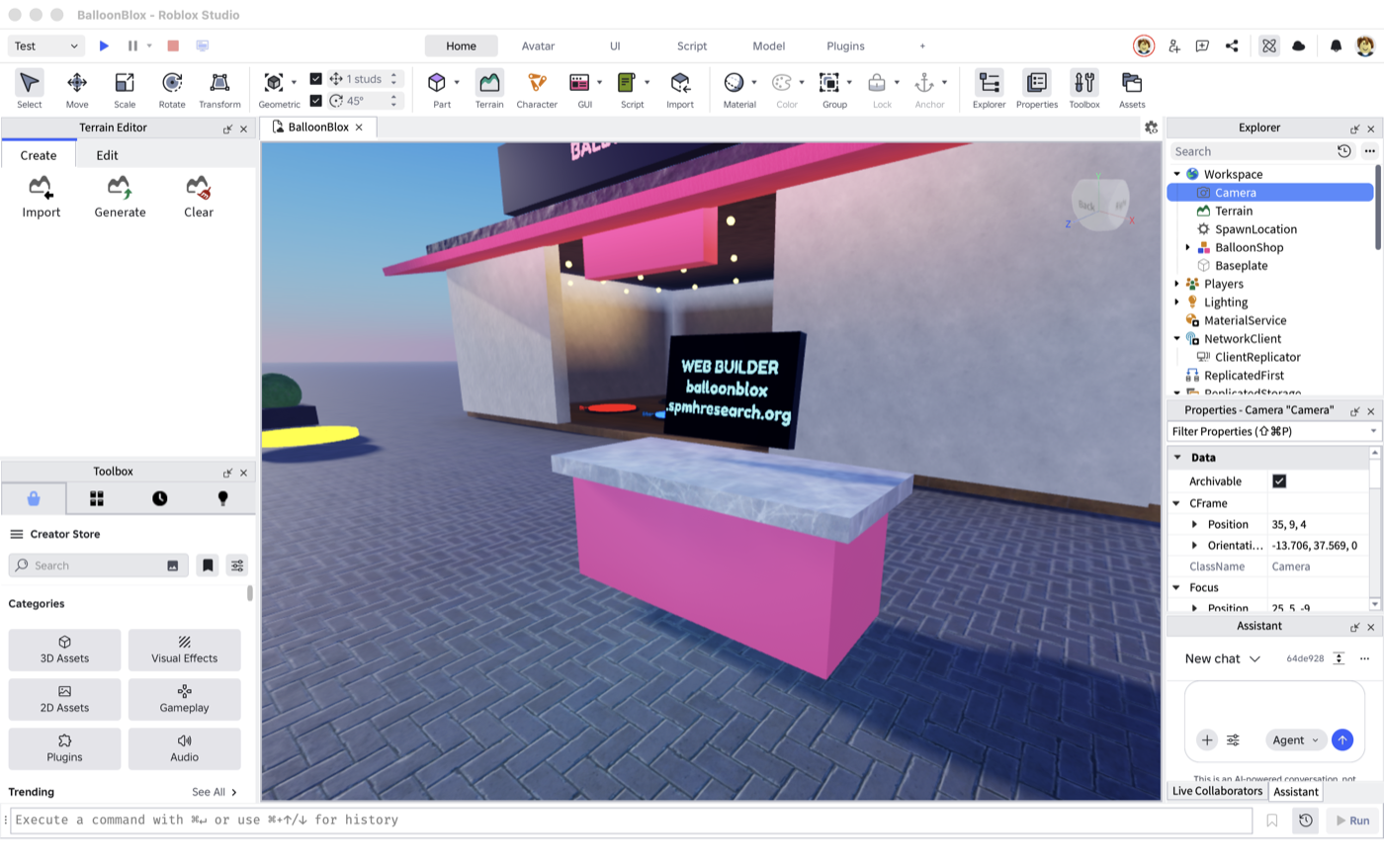
The web builder kiosk with its glowing screen
The link kiosk — a ProximityPrompt on the counter asks the server for your code; the secret key never leaves ServerStorage.

Music and SFX are generated, not licensed: a Lune pipeline composes a ~90s whimsical instrumental loop and four effects (inflate, pop, link chime, UI plop) with ElevenLabs, uploads them through Roblox Open Cloud, and regenerates the AssetManifest module the game reads. The old place shipped radios with several hundred copyrighted tracks; this one ships zero.

pipeline run
$ lune run pipeline/01_gen_music.luau
composing ambient... saved data/music/ambient.mp3 (1439078 bytes)
ambient -> rbxassetid://121861298036785
$ lune run pipeline/02_gen_sfx.luau
add -> rbxassetid://119206267483682
clear -> rbxassetid://78609005578430
link -> rbxassetid://111366381781731
ui -> rbxassetid://129814984824621

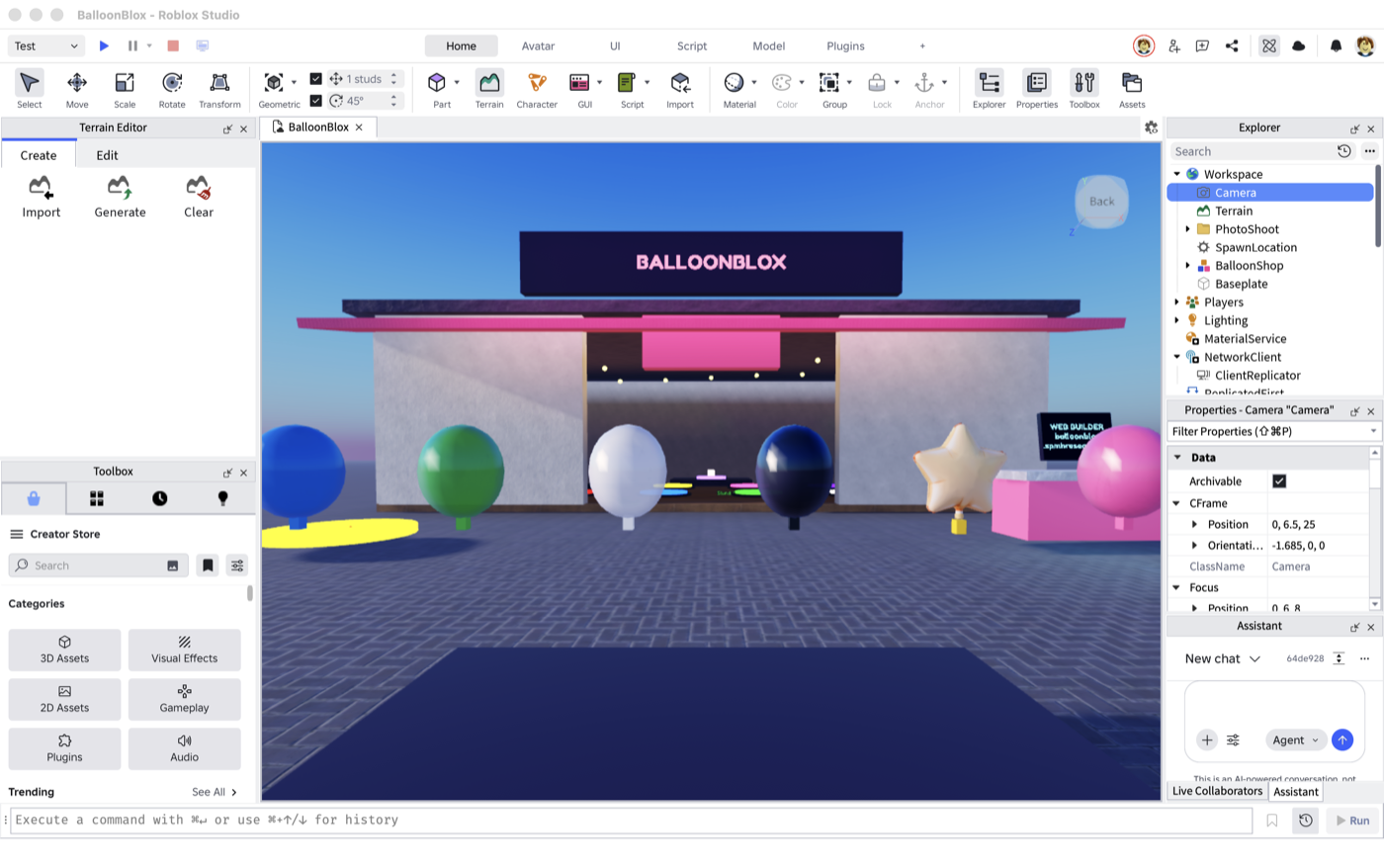
The star balloon got an AI-generated mylar mesh (five-pointed, foil look) via Studio's mesh generation, normalized to balloon size and welded onto the standard knot + attachment rig so the rope code doesn't care which balloon it's tying.

All eight balloon templates lined up in front of the storefront
The cast, left to right: blue, green, white, black, the AI-meshed star, pink, and space (red and part of the lineup just out of frame). Glass-material teardrops with welded knots.

The first flight

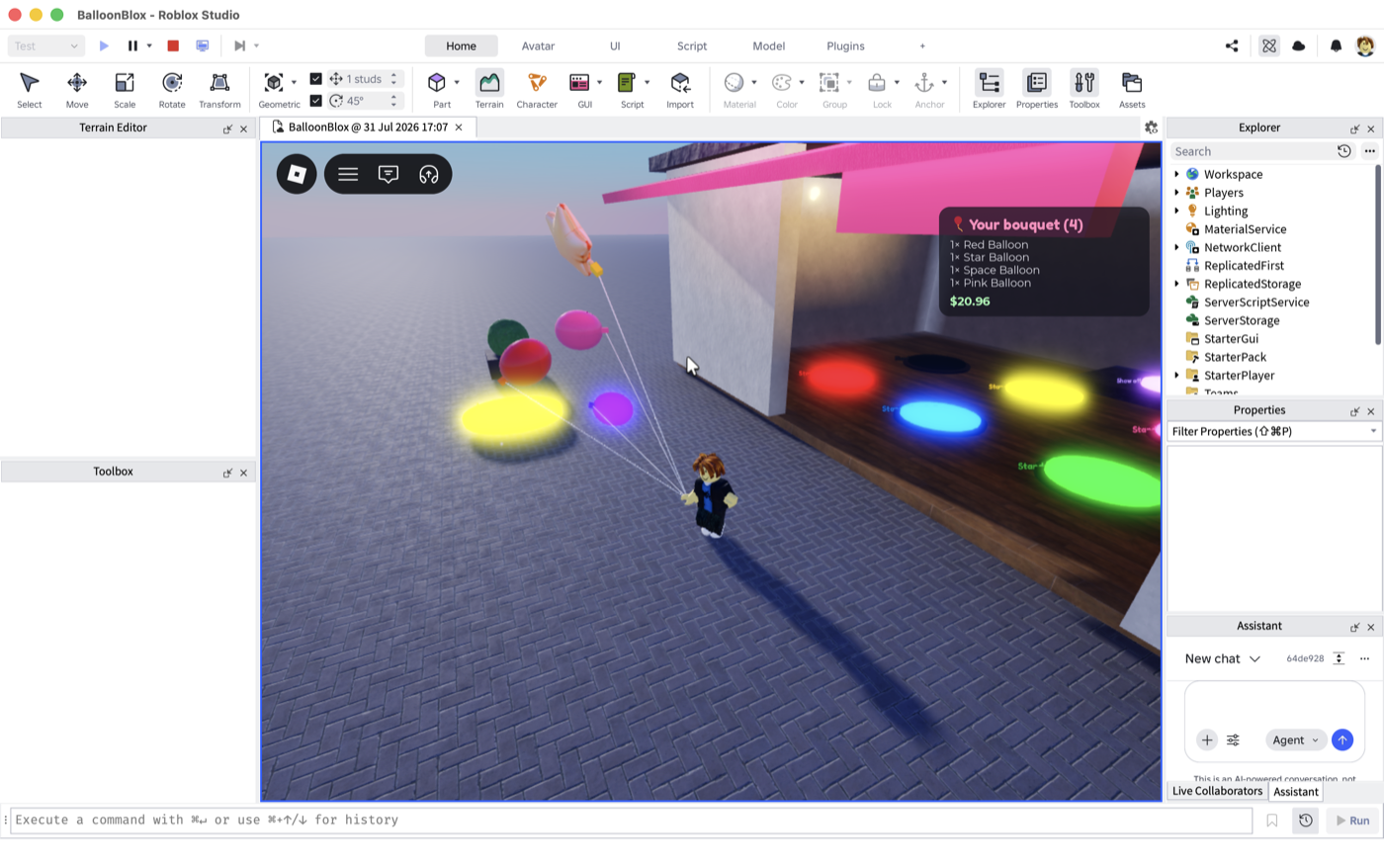
With the API live at balloonblox.com, a play session in Studio linked via kiosk code, and four balloons added on the web — they materialized on rope strings within one 4-second poll: HUD shows the bouquet and total, and the display stage mirrors it when you stand on the purple pad.

Balloons tied to the character in a Studio play session
Web-built bouquet arriving in-game: four balloons on ropes, HUD tally at $20.96.

The reverse direction works too: stand on the blue pad for ten seconds and 'blue' shows up in the web cart; stand on the yellow pad and both sides empty out. Same versioned-cart contract in both directions, zero trust in the client anywhere.

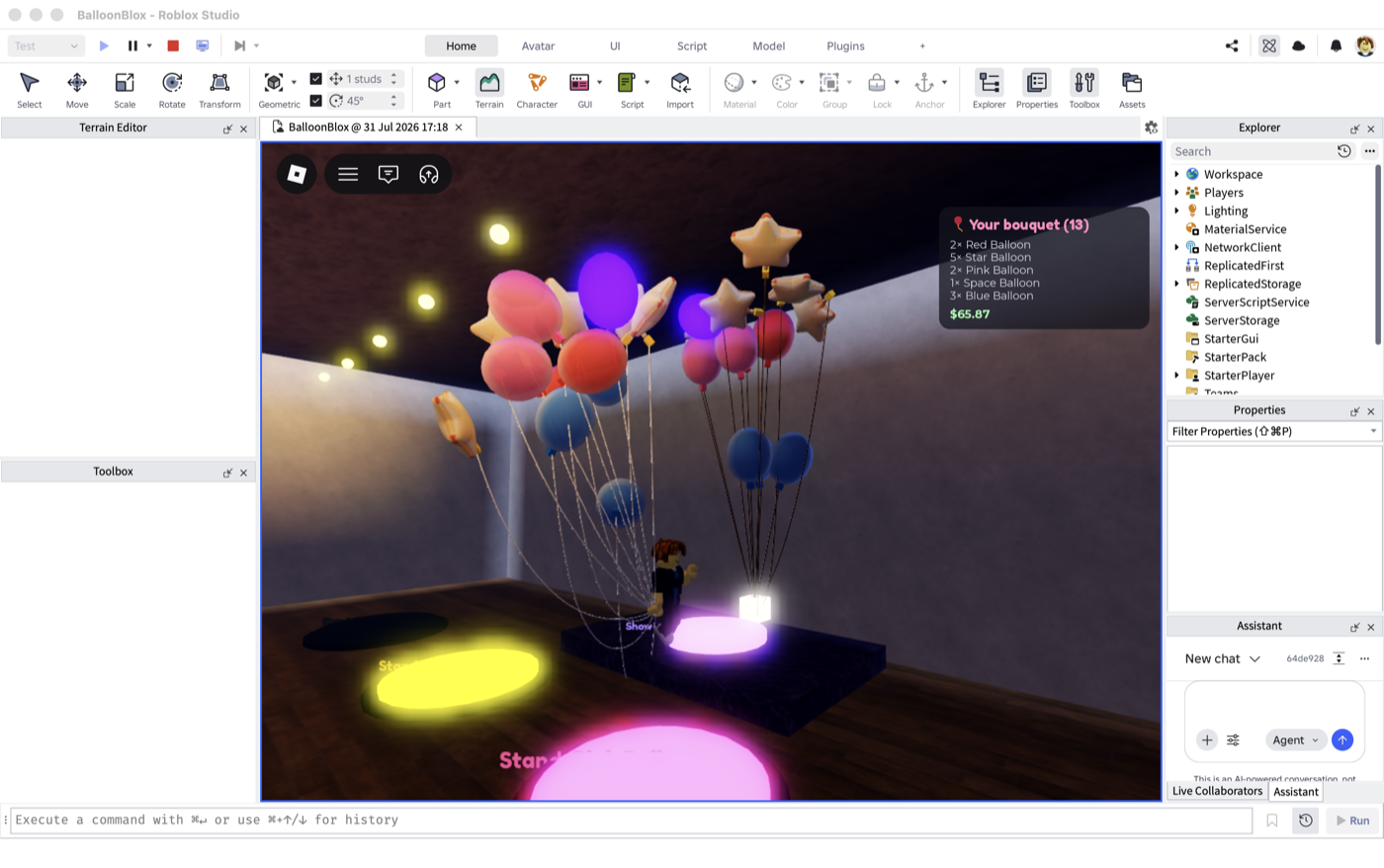
The display stage mirroring a 13-balloon bouquet
Show-off mode: stand on the purple pad and the display anchor ties a mirror of your whole bouquet — 13 balloons, $65.87, stars and all.
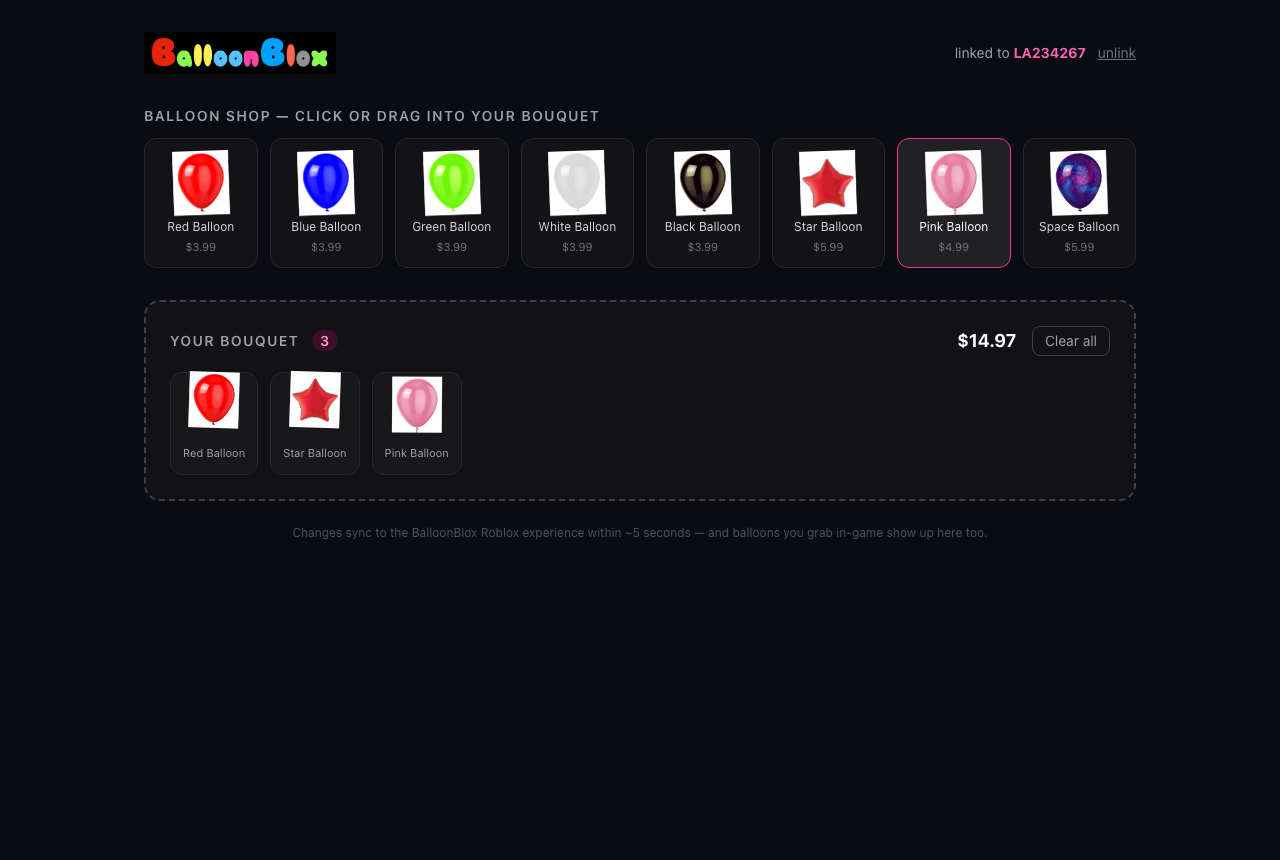
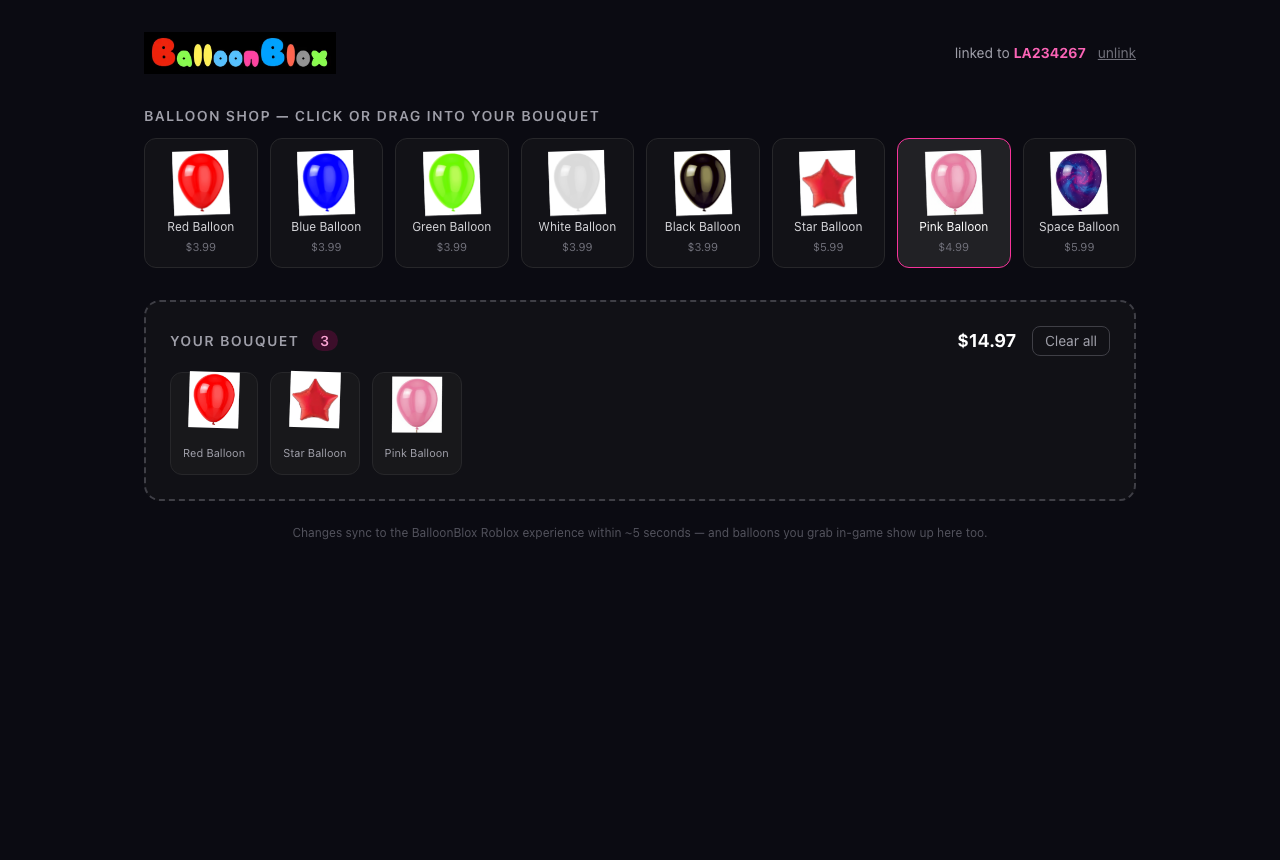
The web bouquet builder
The rebuilt builder at balloonblox.com — click or drag, live total, syncs in ~5s.

Mazes, lava, and a diamond in the sky: the gameplay layer

The shop becomes a game: three challenges built beside the plaza, three rare balloons locked behind them, and a server that trusts the client with absolutely nothing.

Three new rare balloon types went into the catalog — gold, rainbow, diamond — but you can't buy your way in. Each is locked behind a challenge built next to the shop: a procedurally-generated hedge maze, a lava-hopping course, and a 110-stud climbing tower with moving platforms. Win once and the balloon is unlocked for your account forever, recorded in Postgres, usable in-game and on the web builder.

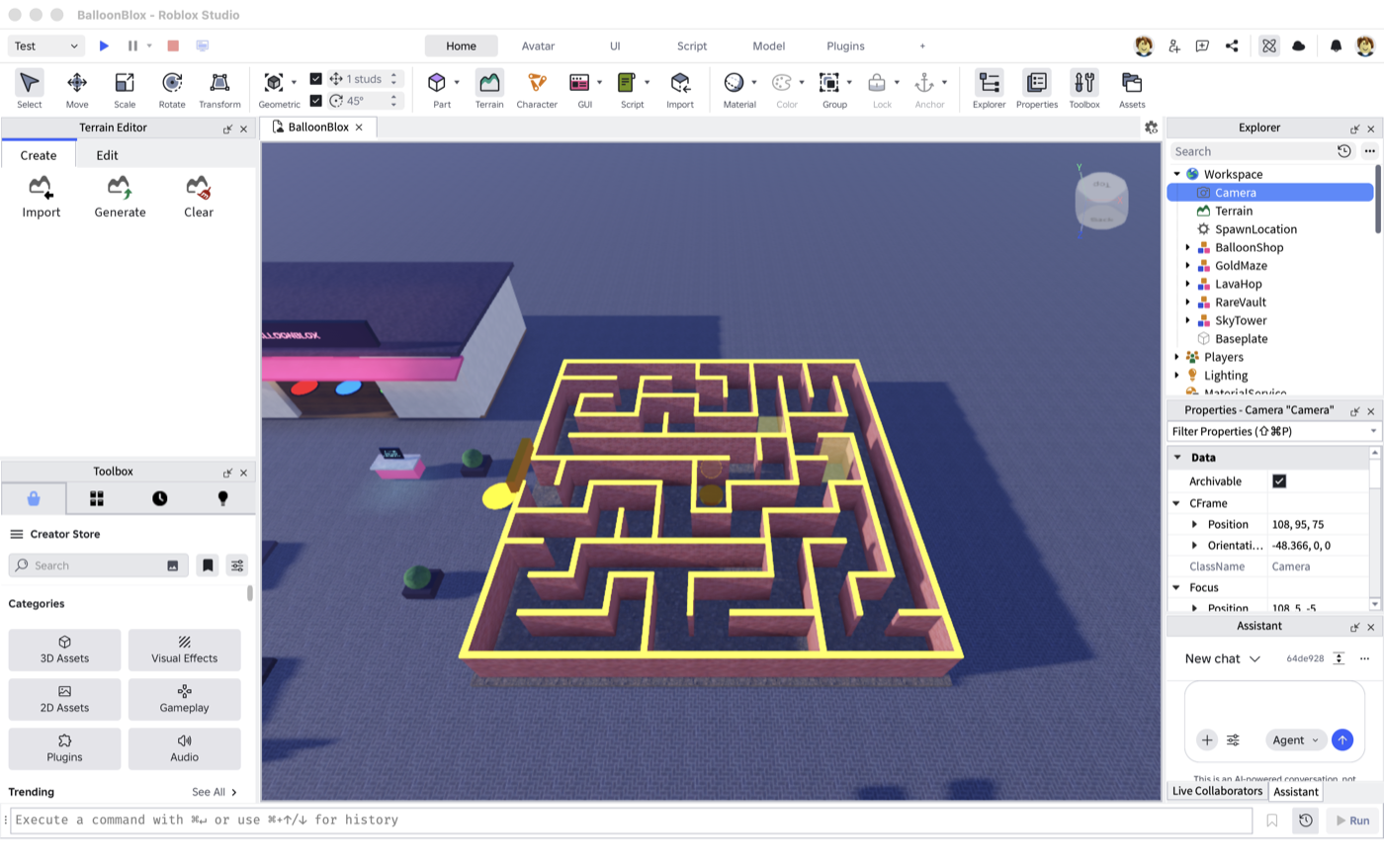
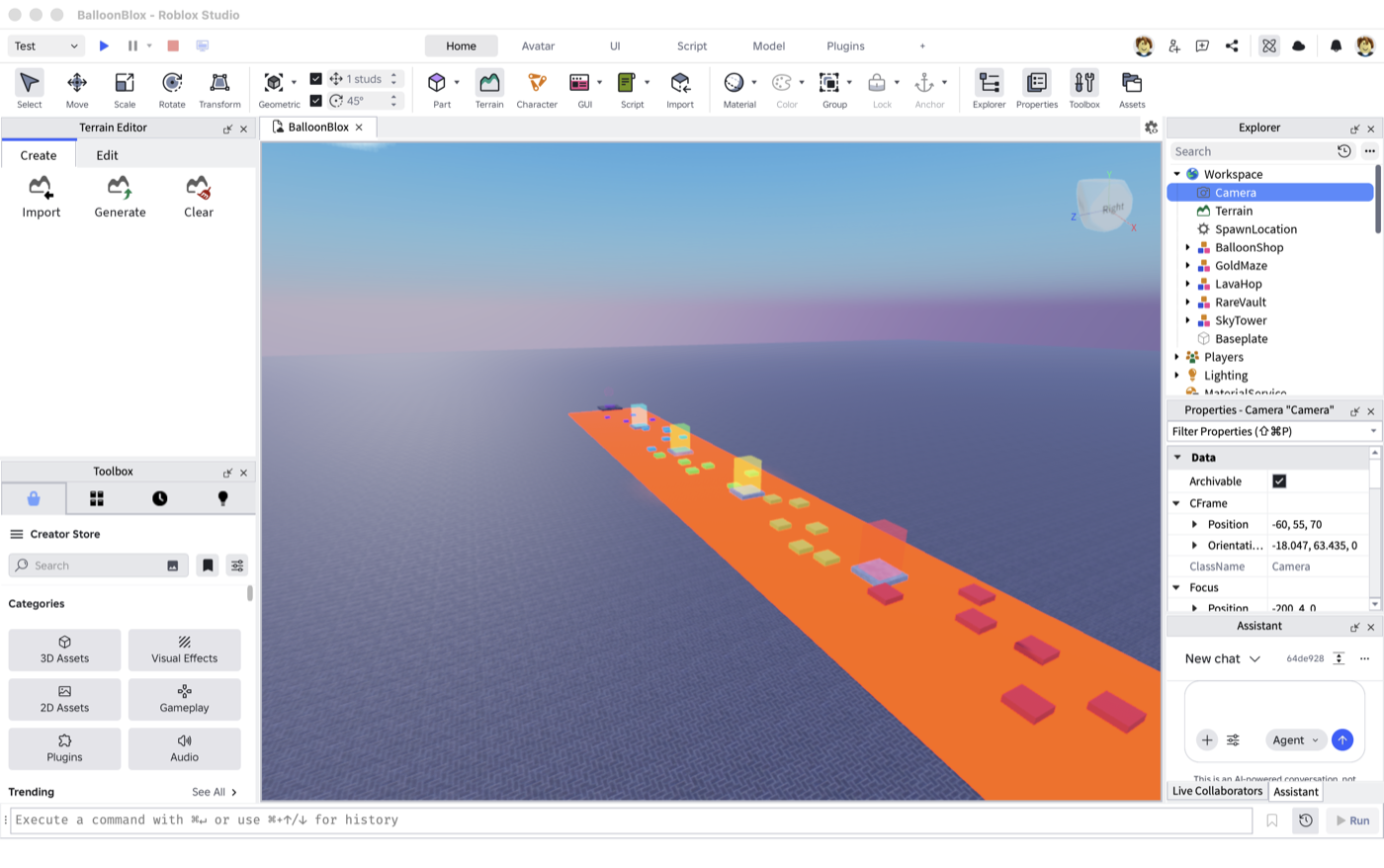
Aerial view of the Gold Maze next to the shop
The Gold Maze: an 11×11 recursive-backtracker layout (52-cell solution path) generated by script — the generator BFS-solves its own maze and drops checkpoints at ⅓ and ⅔ of the route.
The lava hop course
The Lava Hop: thirty shrinking platforms over a neon lava river, four checkpoints, and a few platforms that won't sit still.
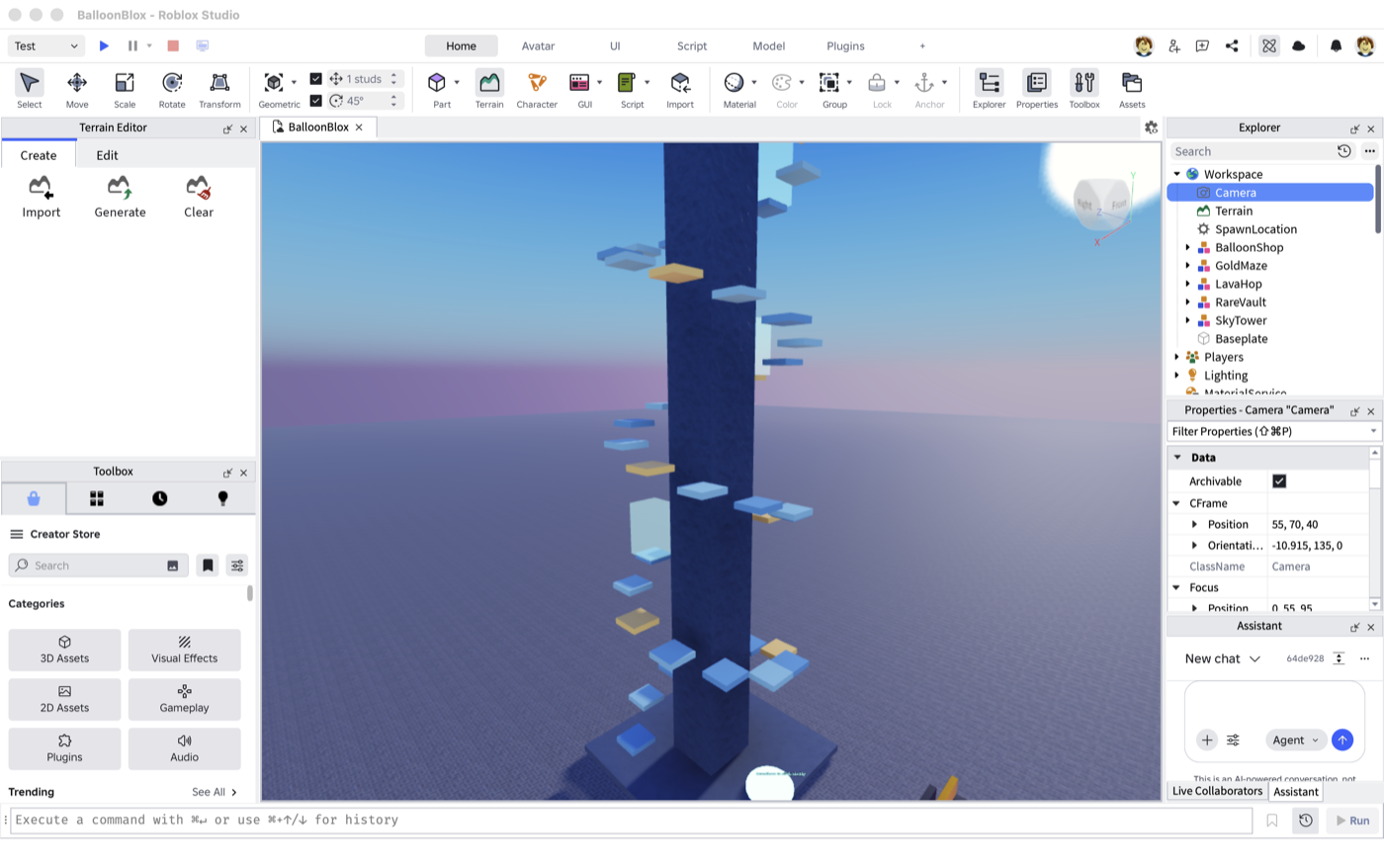
The Sky Tower helix
The Sky Tower: a 40-ledge helix with eight server-tweened oscillating platforms (the gold ones). Fall and you're back at your last checkpoint.

Wins the server can believe

Everything about a run is server-side: standing on a start pad begins it (and despawns your balloons — ropes and buoyancy forces have no business inside a maze), checkpoints are invisible 10-stud volumes that only count in order, and the finish is valid only after every checkpoint plus a minimum humanly-possible time. Leave the course bounds or move faster than physics allows and the run silently ends. There isn't a single client→server remote in the whole system — the client just watches.

ObbyService.luau — the finish check
-- All checkpoints, in order, and a humanly-possible time.
if run.nextCheckpoint <= cfg.checkpointCount then return end
local elapsed = os.clock() - run.startedAt
if elapsed < cfg.minRunSeconds then return end
-- ...and the API applies its own minimum-time floor again server-side.

The API applies the same skepticism: POST /api/game/unlock rejects run times below a per-challenge floor, and the add-to-cart endpoints 403 any rare balloon the player hasn't earned — the web UI's padlocks are decoration, not enforcement.

The first legitimate win

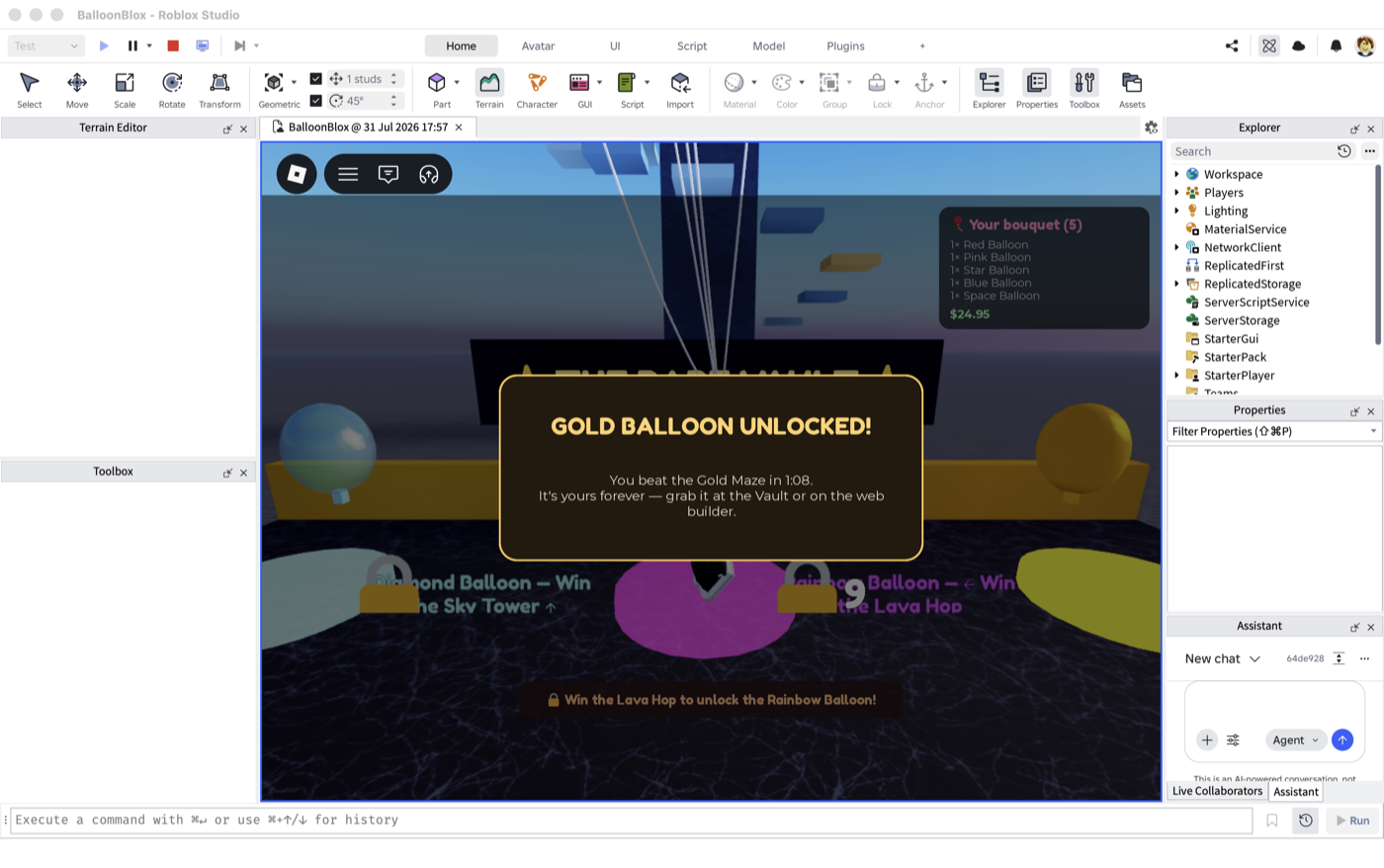
The end-to-end test walked the maze for real — through both checkpoints to the center plinth in 1:08. Confetti, a light beam, an oversized gold balloon released skyward, and a fanfare (freshly generated and uploaded alongside checkpoint and locked-buzz effects).

The gold balloon unlocked modal at the Rare Vault
Win → unlock → teleported to the Rare Vault, where the gold pad is now open and the other two still wear their padlocks. Seconds later the web builder's gold card flipped to unlocked on its own.

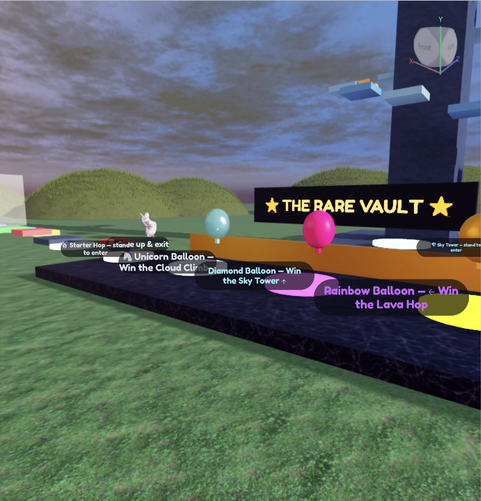
The Rare Vault sits at the plaza's north edge: three pedestal pads that work exactly like the shop pads — if you've earned them. Lock state renders client-side from replicated player attributes, because your padlocks aren't my padlocks.

A UI worthy of the balloons

The builder looked like a 2012 admin panel wearing a party hat. One asset pass, one segmented code input, and one live bouquet stage later, it doesn't.

Honest feedback arrived in the form of a screenshot: the Link button floated awkwardly beside the code input looking permanently disabled, the logo sat in a hard black box, and the drag-and-drop builder was bordered boxes with balloons on white squares. All true.

The old builder UI
Before: white-square balloon cards and a dashed dropzone. Functional, dated.

Three fixes

First, the assets: every balloon PNG and the logo went through an edge-connected flood-fill pass — only background pixels reachable from the image border become transparent, so the white balloon and the shine highlights inside the gold one survive. (A naive luminance key ate holes in everything; the flood fill was the fix.)

Second, the link form: the button is gone entirely. Six segmented character boxes driven by one hidden input — paste works, mobile keyboards work, and it auto-submits the instant the sixth character lands. Errors shake.

The new landing page with segmented code input
The landing page now: transparent logo, six glyph boxes, no button to hunt for.

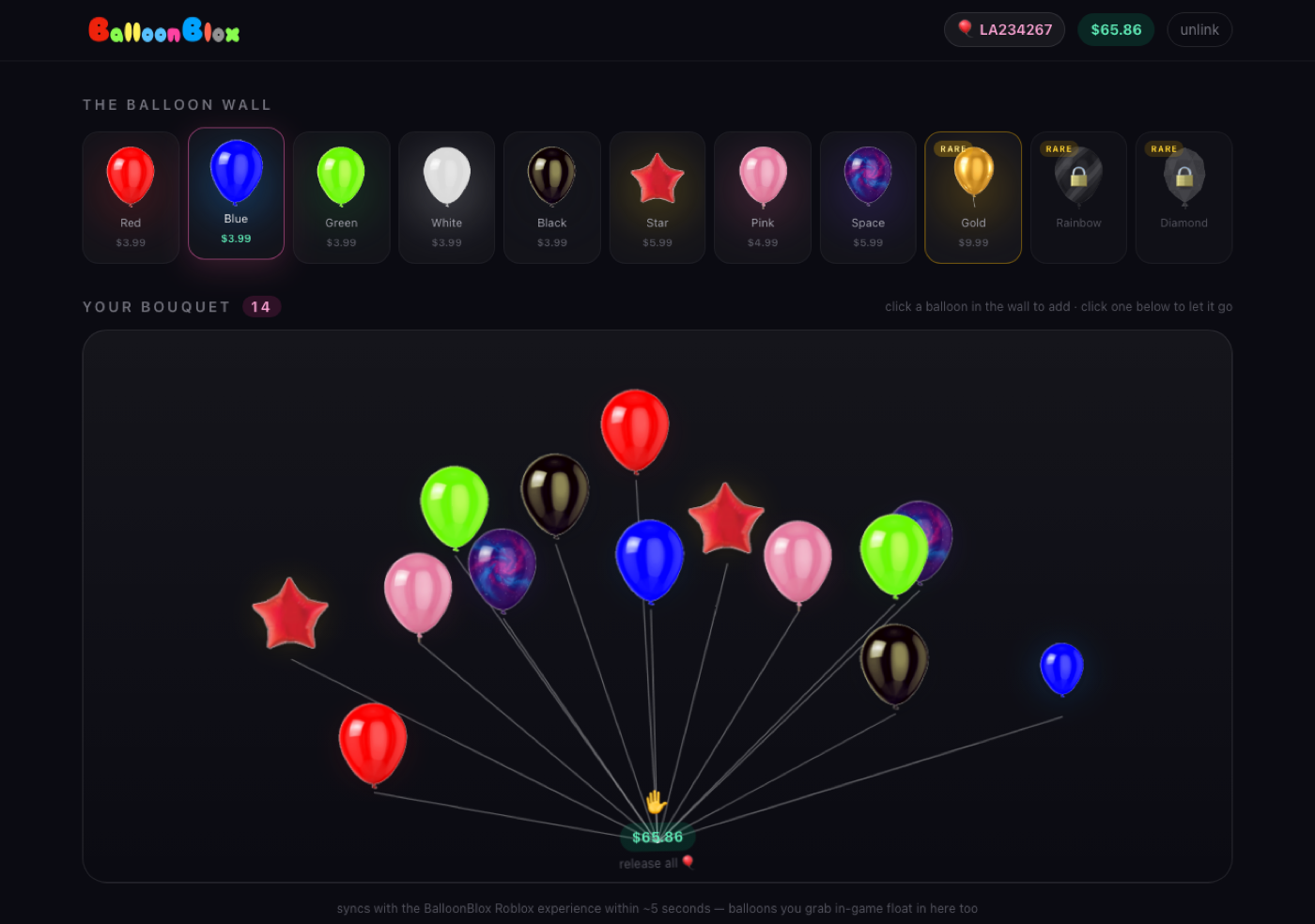
Third, the builder: a sticky glass header, a 'balloon wall' of backdrop-blurred cards with per-color glows — and the tray is dead. In its place, a live bouquet stage: each balloon in your cart is positioned along a deterministic fan, an SVG underlay draws its string to a single convergence point at the ✋, the whole cluster sways gently as one (balloons and strings together, so nothing detaches), and clicking a balloon releases it.

The new builder with a 14-balloon bouquet on strings
After: fourteen balloons on converging strings, rare gold unlocked in the wall, rainbow and diamond still padlocked.

Zero new dependencies — Tailwind and a handful of CSS keyframes. The cart logic didn't change at all; only the presentation did, so the 5-second game sync and optimistic updates carried straight over.

Addendum: the splash stopped shouting

Round two of feedback: the link-code form dominated the splash page. Now the hero leads with the bouquet itself and two buttons — the form lives in a compact section at the end of the story, and it no longer steals focus (literally: its autofocus was yanking the scroll position). The site also grew a proper identity for sharing: an AI-generated OG banner and a red-balloon favicon, so links to balloonblox.com unfurl with balloons instead of a gray box. Meanwhile in-game: every challenge got exit pads and a 'give up' button on the run timer, and the Lava Hop's jump gaps were retuned after its first jump turned out to be a physics exam.

From parking lot to Balloon Park

The shop, the maze, the lava, and the tower were floating in gray nothing. One generator script later they live in a sunset park with a fountain, string lights, drifting hot-air balloons — and pad labels you can actually read.

Two more pieces of playtest feedback: the text floating over every stand-here pad was clipping into the pads themselves, and the world was — quote — 'a maze and obby in the middle of nowhere.' Fair. The challenges were placed on an infinite gray baseplate with all the atmosphere of a parking lot.

Labels first

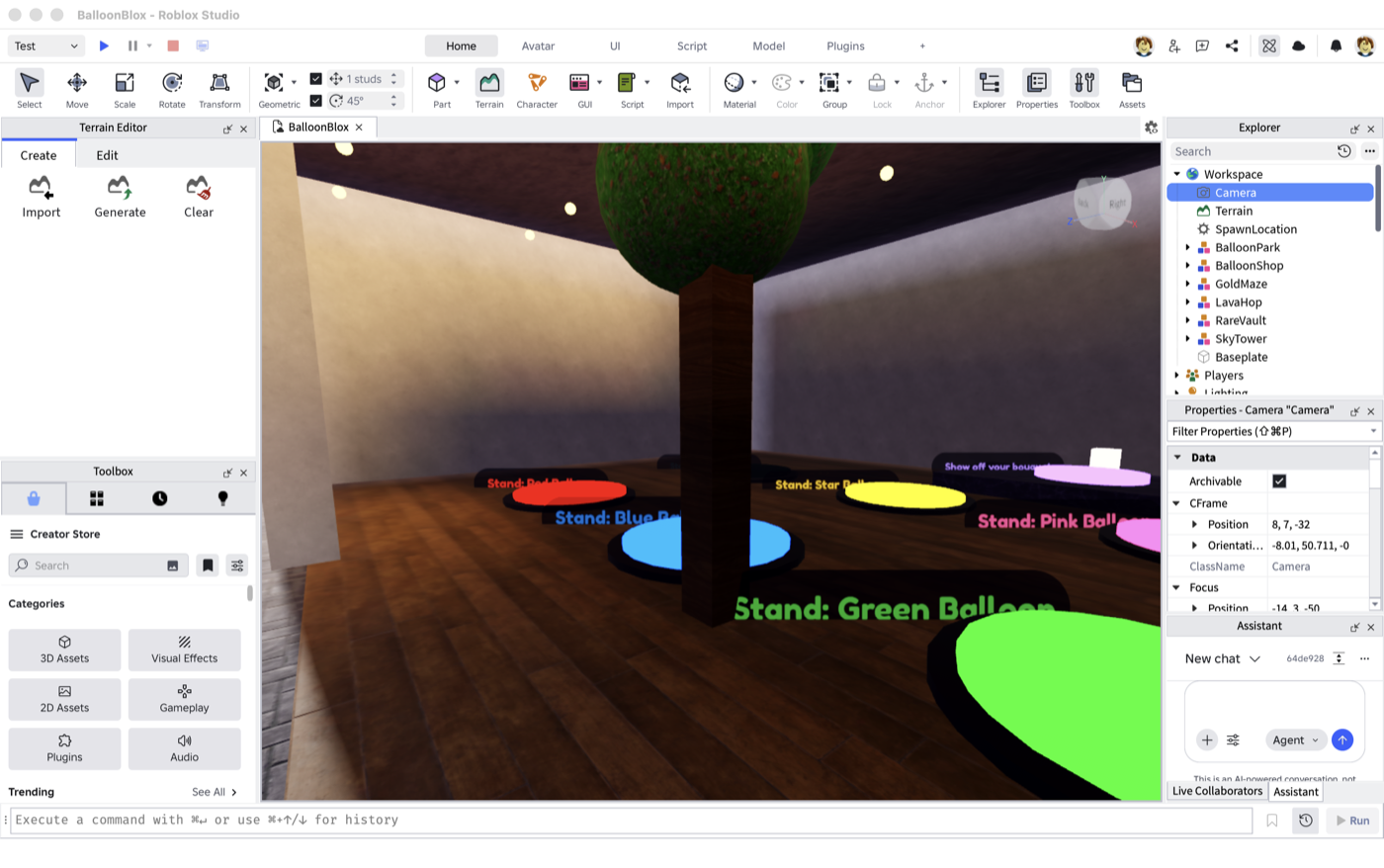
All nineteen pad labels got one shared treatment: raised well above head height, put on a rounded translucent pill instead of naked stroked text, and size-capped so distant labels don't balloon (sorry). The zone countdown got the same pill and now floats above the name label instead of fighting it.

Readable pill labels over the shop pads
Pill labels, clear of the pads and the player.

Then, a world

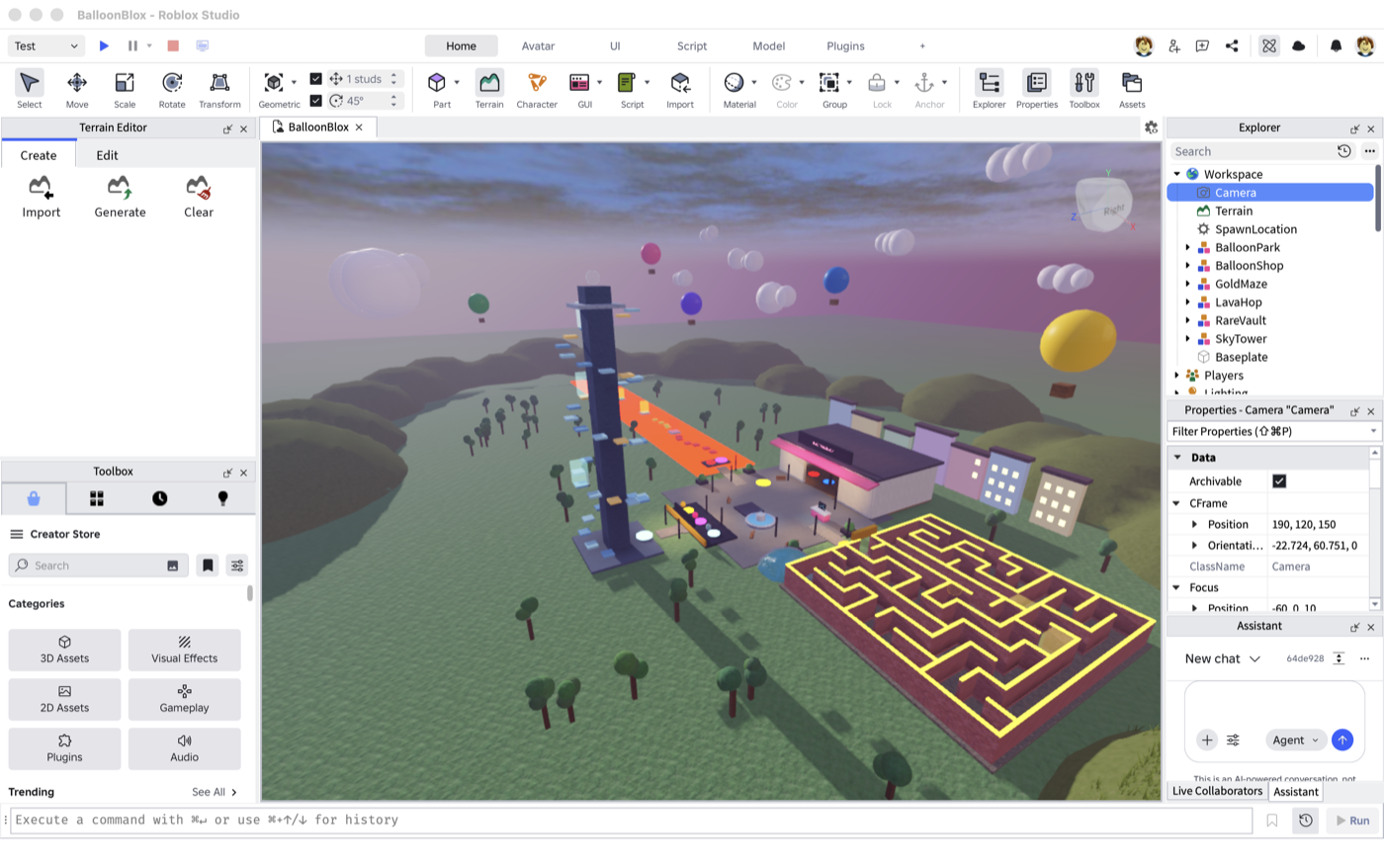
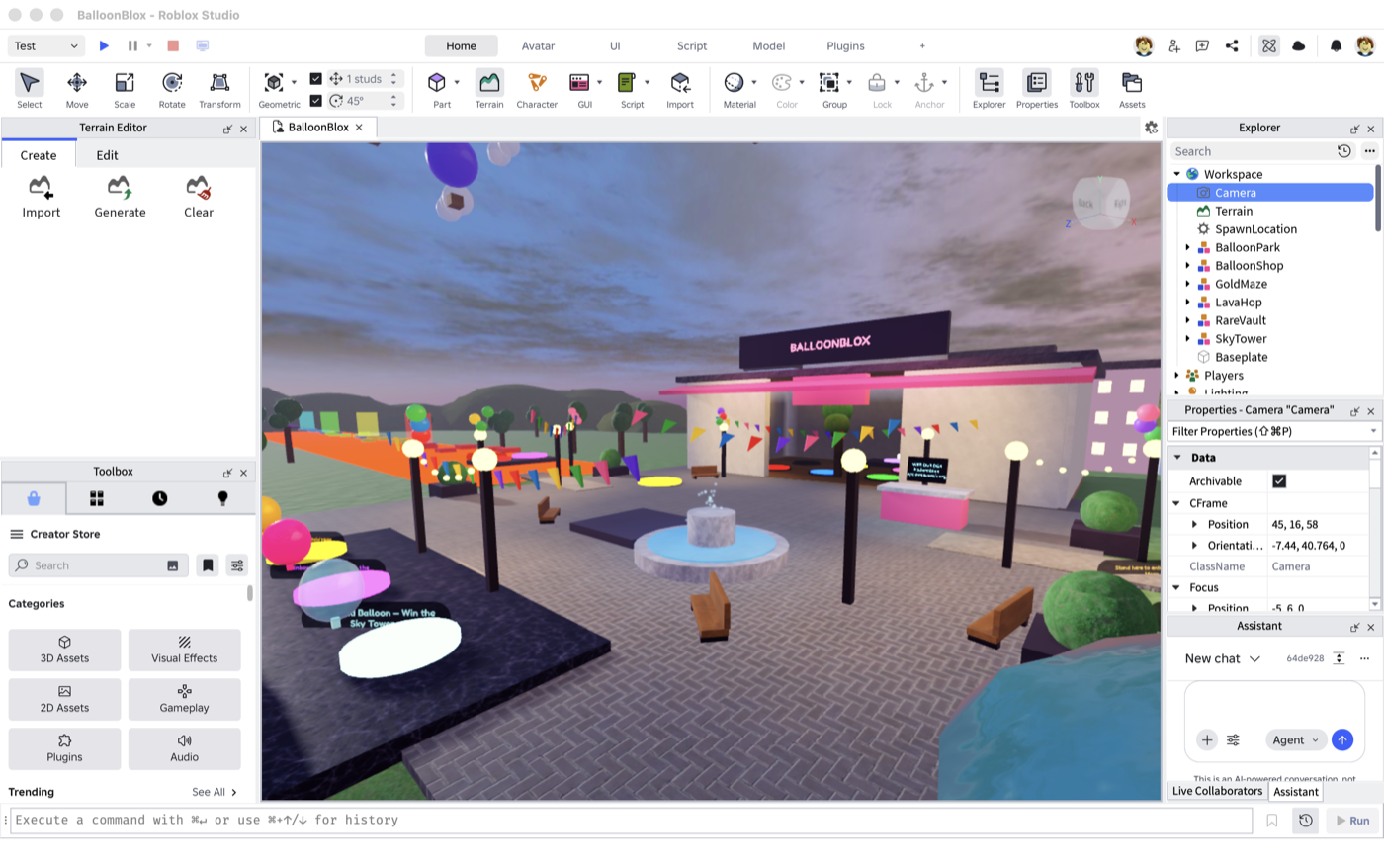
The park generator (roblox/build/build_park.luau) rebuilds the whole setting in one run: a terrain hill ring with a tree line for a horizon, a pond, cobbled paths from the plaza to every challenge, lamp posts with warm globes and sagging string lights, balloon clusters on every other pole, bunting in brand colors, benches, a marble fountain with a particle spray, forty-odd procedural trees (with exclusion zones so none spawn inside the maze — or, as discovered on the first run, inside the shop), pastel townhouse facades glowing behind the shop, and a sky full of drifting hot-air balloons and clouds riding the existing moving-platform service at very slow periods. Plus a proper sunset skybox.

Aerial of Balloon Park: maze, tower, shop, trees, hills, hot-air balloons
Balloon Park from above: the neon-trimmed maze, the tower, town facades, tree-dotted lawns, and hot-air balloons drifting through a sunset.
The plaza with fountain, bunting, and lamps
The plaza: fountain, bunting, lamp posts, benches — an actual place now.
Standing on the red pad with readable labels and three balloons
Regression-tested in a live session: dwell-adds still fire with the new labels, countdown floating on its own line.

The web side got personal too: the builder now shows your actual Roblox avatar (public thumbnail API, no auth) in the header and holding your bouquet at the string convergence point — plus a Play-on-Roblox button on the splash, whose logo now always leads home.

Follow the string: onboarding that ends with a win

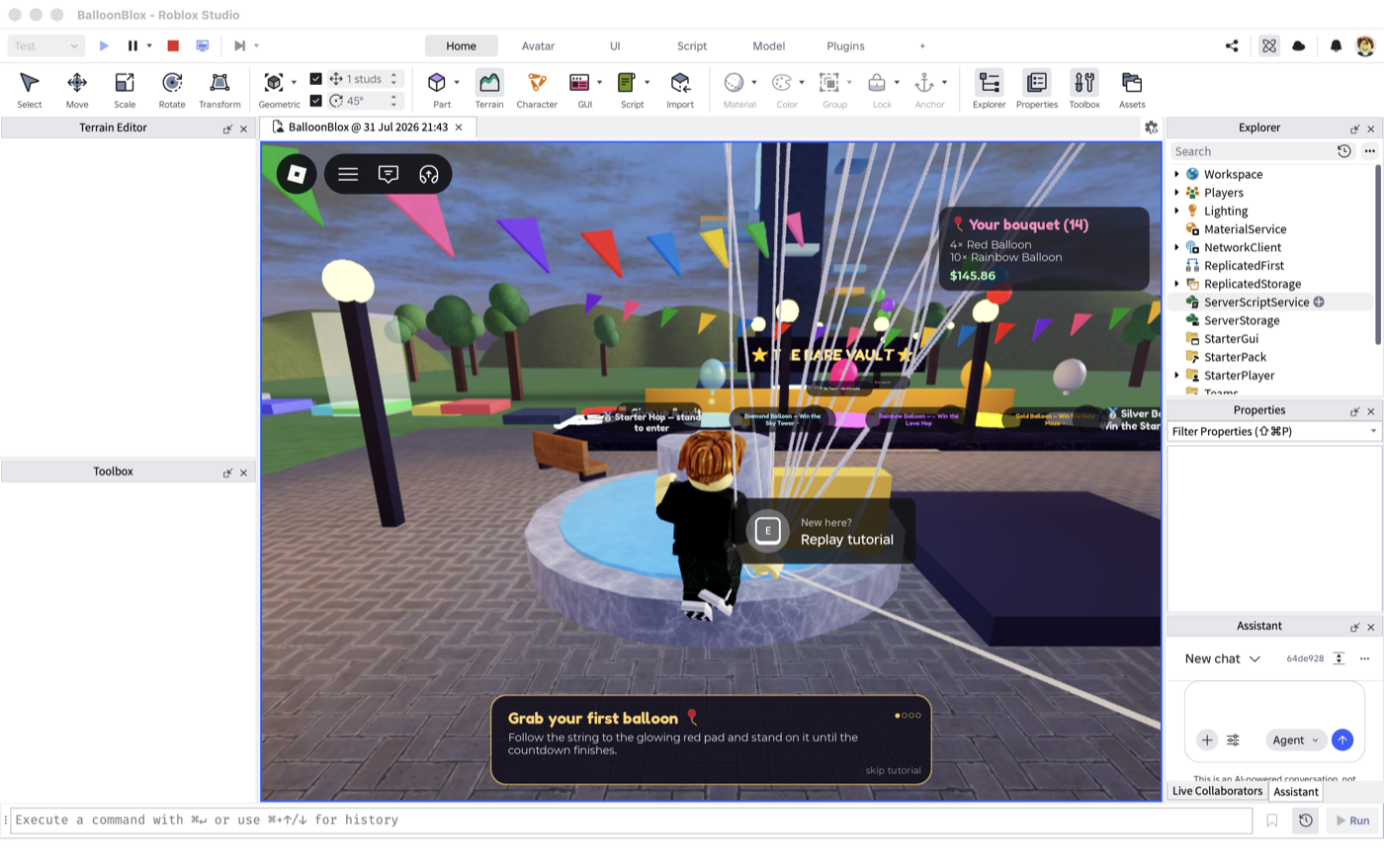
New players now get a golden guide balloon leading them through the park — and the tutorial's last step is winning a real challenge, so everyone's first session ends with a rare unlock.

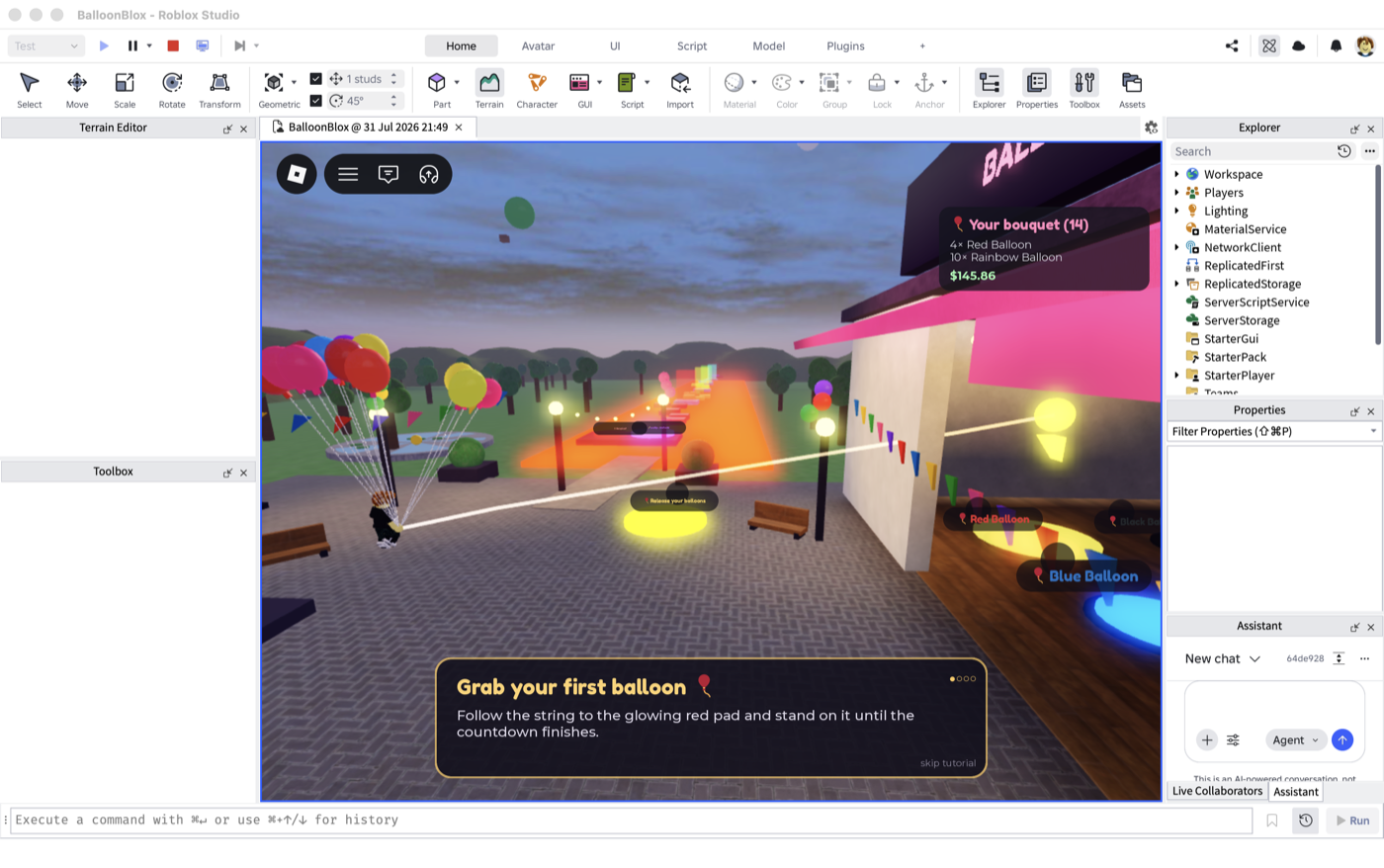
New players were dropped into Balloon Park with no idea what the pads, kiosk, or vault meant. Now a first-join tutorial walks them through it — and because this is a balloon game, the guide arrow is literal: a golden balloon bobbing over each target with a pulsing ring beneath it, connected to your hand by a curved string beam. Follow the string.

The glowing guide string running from the player to the red pad
Step 1: follow the glowing string from your hand to the red pad. (First shipped version had Beam.FaceCamera off — the string was invisible from most angles. Playtest feedback caught it within the hour.)

End on the dopamine

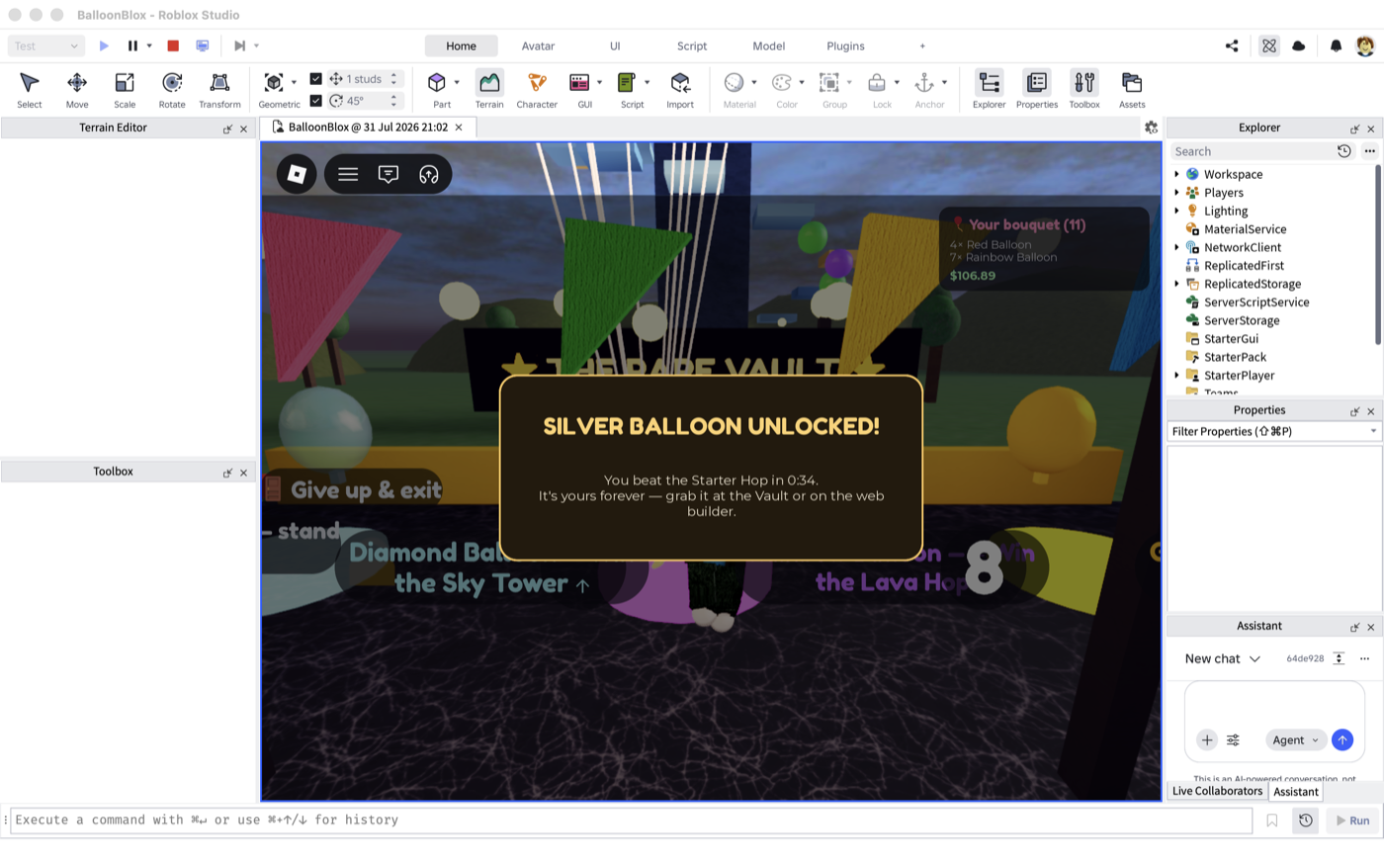
The step order is deliberate: grab a basic balloon, link the web builder, peek at the Rare Vault's padlocked pedestals — and then the finale isn't a lecture, it's a win. The new Starter Hop is five friendly platforms just past the vault, beatable in ~30 seconds by anyone, and it awards a brand-new rare: the chrome Silver Balloon, through the exact same server-validated challenge machinery as the maze, lava, and tower (a tags-and-config addition — zero new challenge code).

Silver balloon unlocked modal at the end of the tutorial
Every new player's first session ends here: a real unlock, earned, with the three big challenges now framed as 'more of that feeling.'

Completion persists in Postgres next to the unlocks (one extra field on the same join-time fetch), so returning players never see the tutorial again — verified by winning the hop, rejoining, and watching nothing happen. The whole flow was E2E-tested in a live session: dwell-add → link signal → vault visit → a legitimately-walked Starter Hop run → silver in the database, on the vault pad, and in the web builder.

The replay booth near spawn
Want it again? A 'New here?' booth by the spawn replays the tutorial for anyone — completion stays recorded, the guided tour just runs again. Verified with a real E keypress from a completed account.

A name you can type: balloonblox.com

The site moved to balloonblox.com — shorter to say out loud, shorter to type into a browser while a link code is counting down.

The link-code flow asks players to read a URL off an in-game modal and type it into a browser within 15 minutes. balloonblox.spmhresearch.org was a mouthful; balloonblox.com is now the canonical address. The old domain still routes here, so nothing breaks — but every user-facing surface now shows the short one.

That meant touching every place a human reads the URL: the kiosk link modal (one shared Config.WEB_URL constant in the game — changed once, shown everywhere), the tutorial's 'link the web builder' step, the empty-cart HUD hint, and the site's own OG metadata so shared links unfurl under the new name. The game-to-API sync calls didn't change at all — servers don't care how long a hostname is.